Convert Image Online
Free online tool to convert images between all popular formats instantly. Change PNG to JPG, JPG to WEBP, GIF to PNG and many other combinations. Everything happens in your browser — maximum privacy and speed. No registration, no watermarks, up to 10 MB.
How to Convert an Image Online for Free
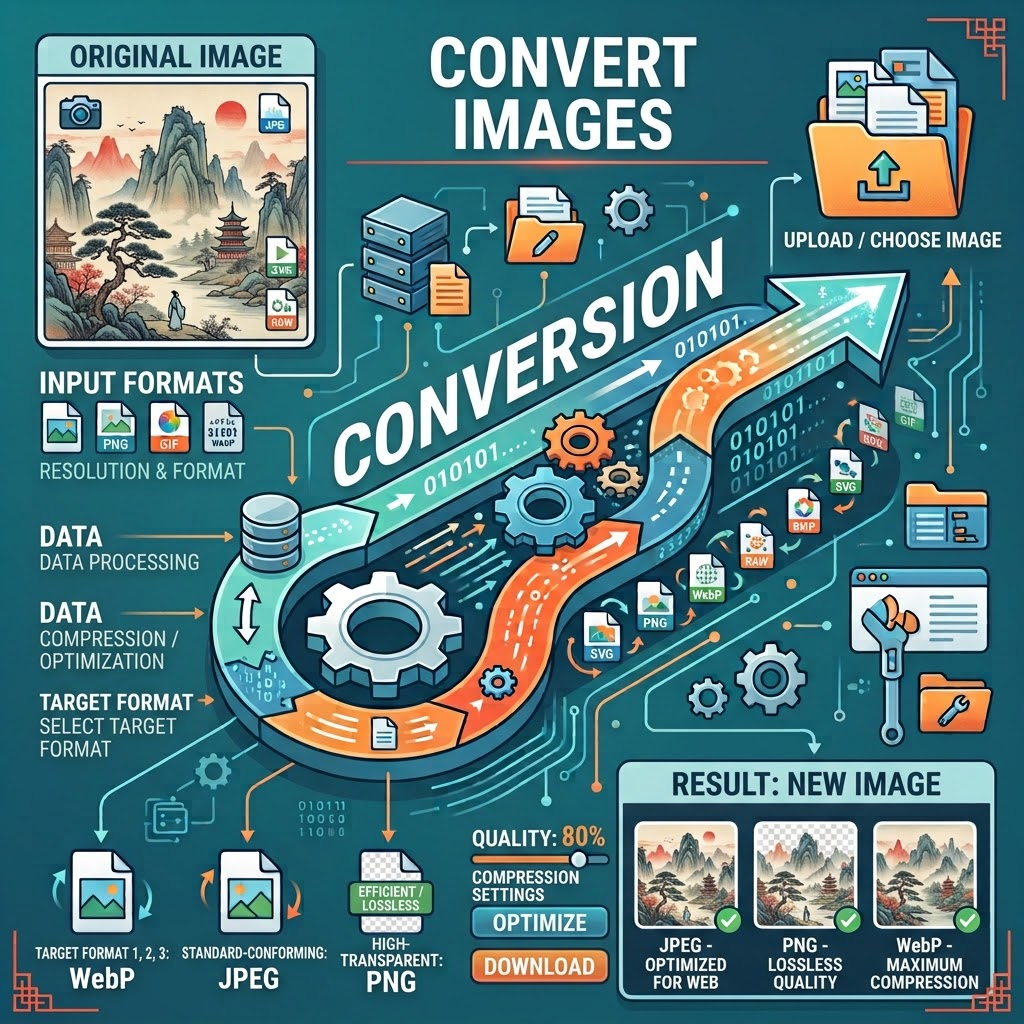
Need to quickly change the format of a photo? Our service lets you convert images directly in your browser in seconds. Choose the desired format and download the result in high quality without watermarks.
- Click the upload area or drag and drop an image file.
- After the image is previewed, select the target format (PNG, JPG, WEBP, GIF, BMP, TIFF).
- Click “Convert and Download”.
- The converted image is automatically downloaded to your device.
The entire process is simple, intuitive and suitable for both personal and professional use.
⚡ Instant Conversion
All processing is done in your browser. No server upload required — usually finished in a few seconds.
🔒 100% Private
Your photos never leave your device. Maximum privacy guaranteed.
🌐 Works Everywhere
On phone, tablet and computer. Fully responsive design.
📸 Best Quality
Preserves original resolution, transparency and animations whenever possible.
🛡️ No Uploads
Everything runs locally. Images are never sent to any server.
🎨 Theme Switching
Dark theme is enabled by default. Switch between light and dark at any time.
🔄 Multiple Formats
Supports PNG, JPG, JPEG, WEBP, GIF, BMP and TIFF.
💾 No Watermarks
Downloaded images are clean and ready for immediate use.
Instant Conversion All processing is done in your browser. No server upload required — usually finished in a few seconds. |
|
100% Private Your photos never leave your device. Maximum privacy guaranteed. |
|
Works Everywhere On phone, tablet and computer. Fully responsive design. |
|
Best Quality Preserves original resolution, transparency and animations whenever possible. |
|
No Uploads Everything runs locally. Images are never sent to any server. |
|
Theme Switching Dark theme is enabled by default. Switch between light and dark at any time. |
|
Multiple Formats Supports PNG, JPG, JPEG, WEBP, GIF, BMP and TIFF. |
|
No Watermarks Downloaded images are clean and ready for immediate use. |
Key Advantages
- Supports all popular image formats: PNG, JPG, JPEG, WEBP, GIF, BMP, TIFF
- Maximum file size 10 MB
- Preserves transparency (PNG) and animations (GIF)
- Works on phone, tablet and computer
- Fully local processing — highest privacy
- No registration and no login required
- No watermarks and no ads
- Dark and light theme switchable
Typical Use Cases
Image format conversion is one of the most common image processing tasks. With this tool you can:
- Convert PNG to JPG to reduce file size
- Convert JPG to PNG to keep transparency
- Convert images to WEBP for better web compression
- Convert static images to GIF format
- Prepare TIFF files for professional printing
- Optimize images for websites
- Prepare content for social platforms (multiple single conversions)
- Convert old formats to modern ones
Frequently Asked Questions
How does the online image converter work?
All conversion happens locally in your browser using HTML5 Canvas technology. Your files stay completely private. Upload a photo, choose the target format and download the result in seconds.
Which formats are supported?
PNG, JPG, JPEG, WEBP, GIF, BMP, TIFF — you can convert in any direction between these formats.
Is there a file size limit?
Maximum 10 MB per image.
Does conversion reduce image quality?
We use optimal parameters to preserve the highest possible quality. Transparency (PNG) and animations (GIF) are retained whenever possible.
Are my photos uploaded to a server?
No. All conversion happens locally in your browser. Images are never uploaded to any server — maximum privacy.
Is GIF animation supported?
Yes. GIF format is fully supported and animations are preserved as much as possible.
Does PNG transparency remain after conversion?
Yes. When converting to PNG the transparency channel is preserved.
Do I need to register or log in?
No. The service is completely free — no registration, no login, no usage restrictions.
Are watermarks added?
No. Converted images contain no watermarks.
Does it work on mobile phones?
Yes. The interface is fully responsive and works on smartphones, tablets and computers.
How fast is the conversion?
Because processing is local in the browser, conversion usually takes only a few seconds depending on image size and device performance.
Can I convert multiple images at once?
Currently only single-file conversion is supported. For multiple files simply repeat the process.
What is the difference between JPG and JPEG?
JPG and JPEG are essentially the same format. Both are supported by this tool and produce identical results.
What should I do if conversion fails?
Check that the file is a supported image format, is under 10 MB, and that your browser supports Canvas. Reload the page and try again if needed.
Is there a dark mode?
Yes. Dark theme is enabled by default. You can switch between light and dark themes at any time using the button at the top.
What is the name of the downloaded file?
The original filename is kept and the new format extension is added automatically.
Why convert online instead of using desktop software?
No installation required, works across devices, instant conversion, better privacy and completely free — ideal for quick and one-time tasks.
Is the service secure?
Yes. Everything runs locally in the browser. Images are never uploaded and are not accessible to third parties.
Can I convert very high-resolution images?
As long as the file size does not exceed 10 MB, high-resolution images work fine. The result depends on the available memory of your device.
Can I edit the converted image further?
Yes. The downloaded image can be opened and edited with any image editing software.
Professional Tips for Best Results
To achieve the best conversion results we recommend:
- Choose PNG when transparency is required
- Choose JPG or WEBP when you need the smallest possible file size
- Choose GIF when animations must be preserved
- Use TIFF for professional print-ready files
- Always check the image in the preview before converting
- Keep a backup of important original files
Image format conversion is one of the most frequently needed image processing tasks. Whether you need to reduce file size, meet platform requirements or preserve special features — this tool handles the job quickly and reliably.
Upload your image now, select the format and click Convert. In a few seconds you will have the result — no registration, no limits and completely free.
Online tools are only the brush — true quality comes from attention to detail. You can convert again at any time until the result is perfect.
Convert image online • Online image converter • Change image format • PNG to JPG • JPG to PNG • WEBP converter • Free image converter • Photo format converter
About This Service
This online image format converter was developed and is maintained by a Full-stack Python Developer and specialist in Image Processing and Computer Vision. The goal is to provide a simple, fast and privacy-friendly way to convert images — without software installation and without account creation.
We place high value on privacy: all processing happens locally in the browser. Images are never uploaded to any server. The service is continuously improved based on user feedback. If you have suggestions or encounter any issues, feel free to contact us via the email address in the author card.